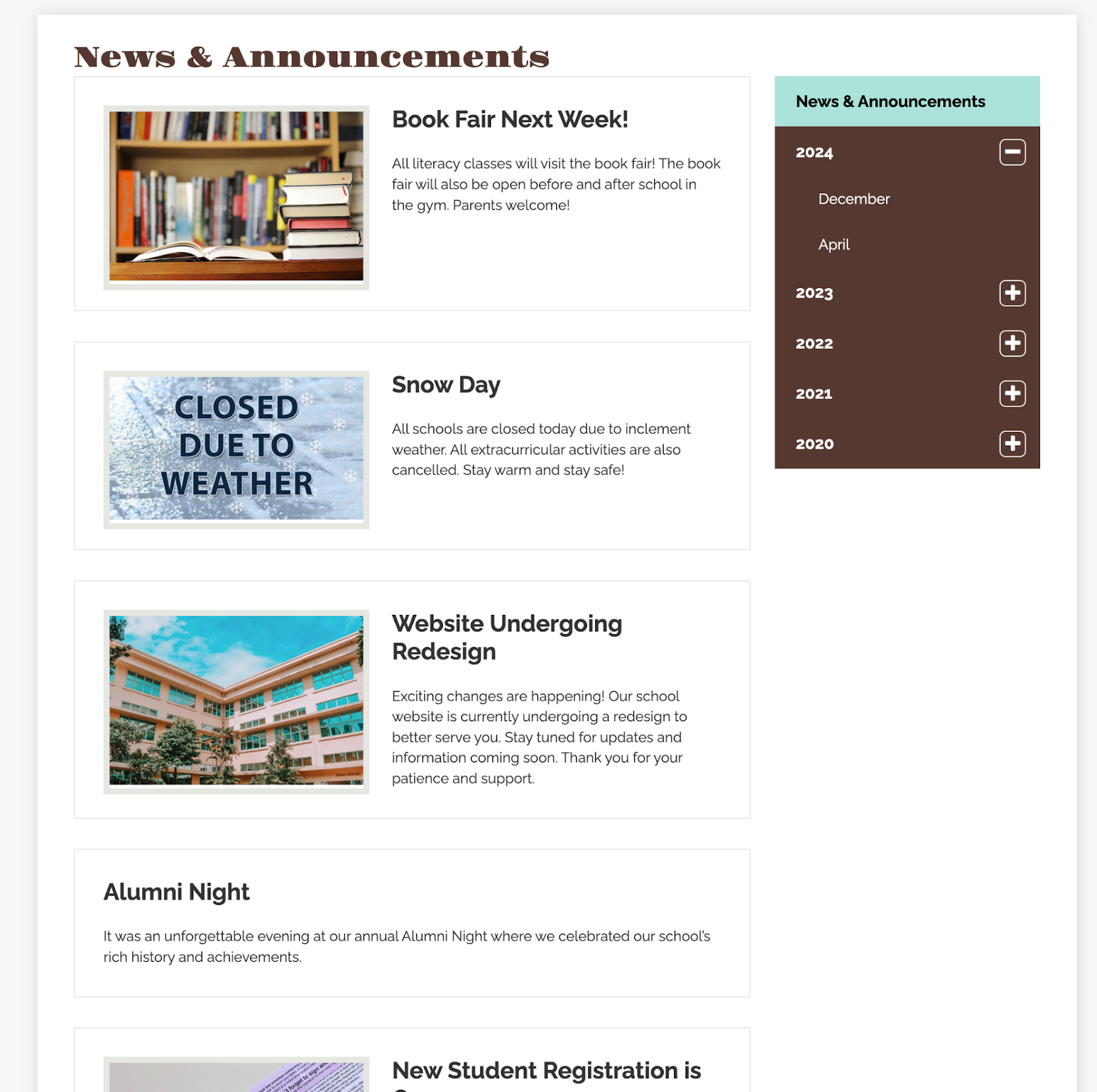
Show Monthly News Archives
Overview
Provide website visitors with an intuitive and organized way to browse news stories.
This month-based filtering system lets viewers easily find past updates without sifting through an overwhelming news list.
When Monthly Archives is enabled, it is available for all news categories.
How to Enable Monthly Archives
Only website administrators can enable this option.
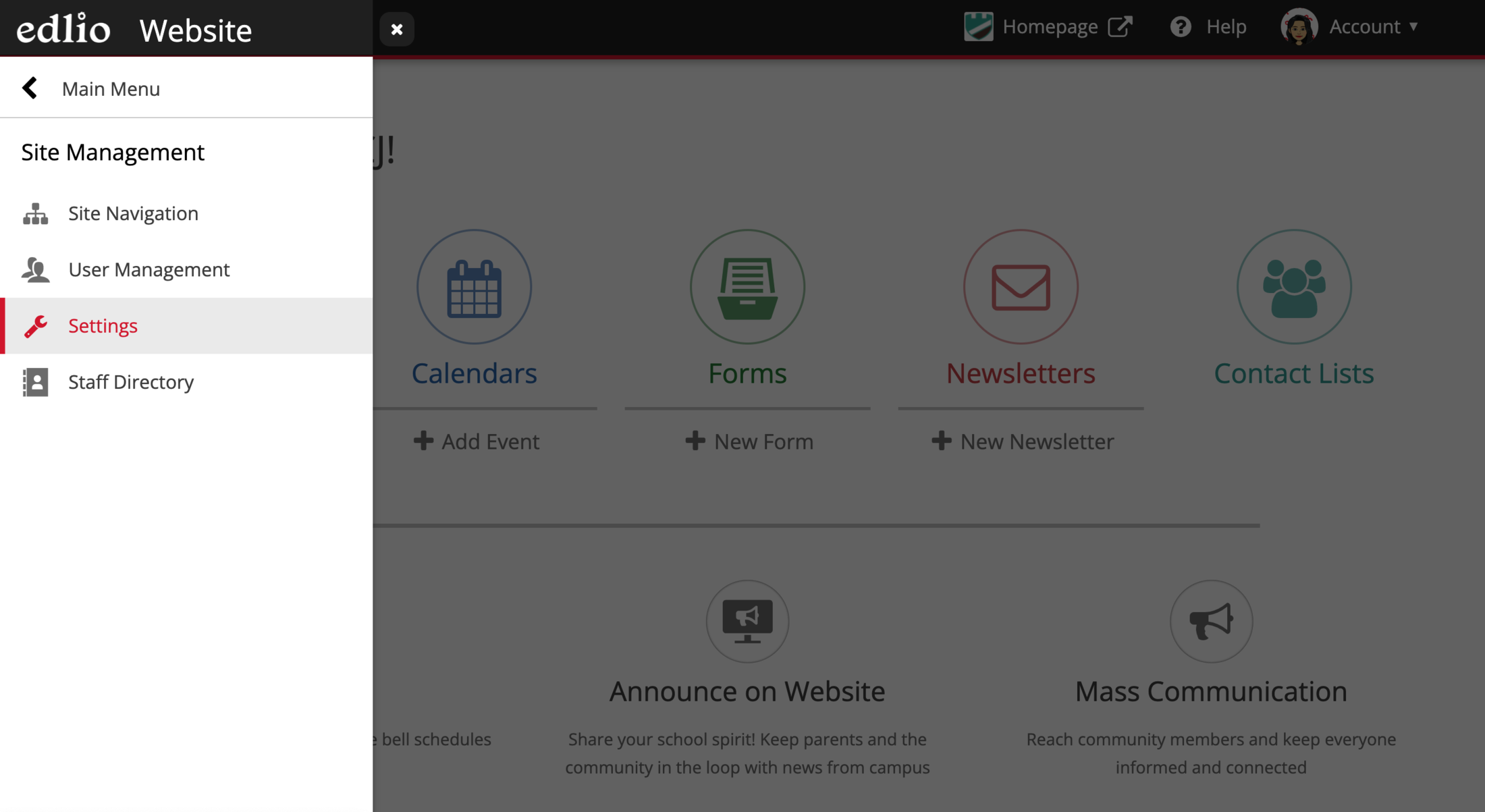
Go to Settings
Navigate to the Settings feature.
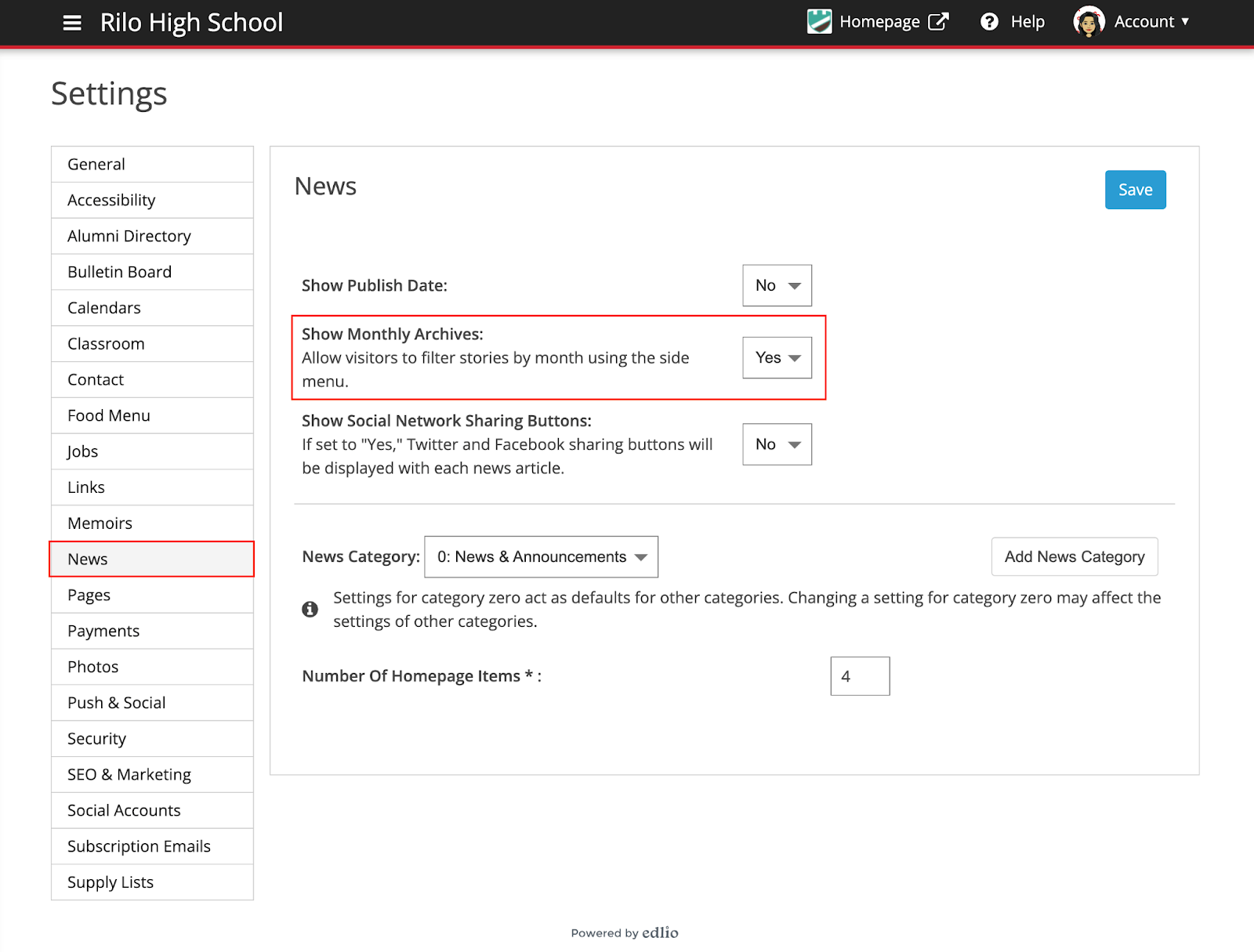
Locate the “Show Monthly Archives” Option
Go to the News tab and look for the option labeled “Show Monthly Archives.”
Set to “Yes” to display Monthly Archives on all news categories.
Remember to Save.
View Monthly Archives on the Website
Visitors to your site will see a Monthly Archives menu for each news category.
Selecting a month shows the stories in that month.