Joining or Ending Conversations from the Dashboard
Joining A Conversation
Step 1: Select 'Conversations' in the app menu
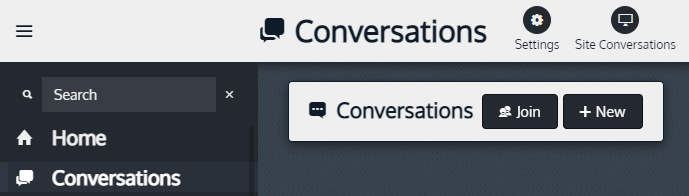
Step 2: To join an existing Conversation select Join

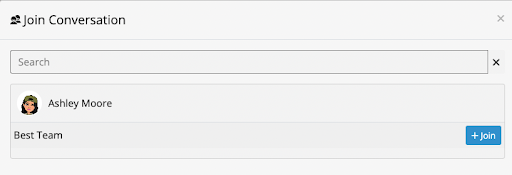
Step 3: Then search and/or pick the conversation you wish to join.
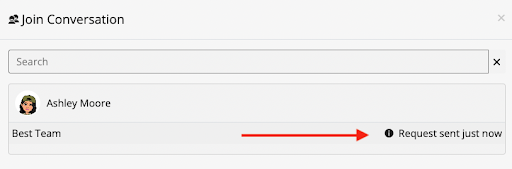
Step 4: After clicking Join, a request will be sent to the Conversation owner if “Requires approval” was selected by the owner.
Ending A Conversation
Step 1: Open the Conversation
Step 2: Go to Settings by clicking the wrench icon.

Step 3: Select 'Close' from the drop down menu
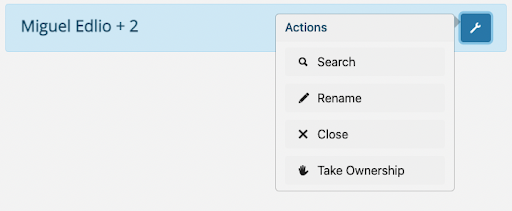
Closed conversations are still READ-ONLY viewable by all participants, and can be reopened or deleted by the owner.